
.webp)




.png)

Accounting can be so easy for the self-employed: With clear steps, digital tools and little effort, you can always keep track of things.
Step-by-step instructions help you correctly record income and expenses, manage receipts in a practical way and meet tax deadlines.
Whether online or via app, these instructions show how to do your bookkeeping easily and securely — perfect for self-employed people who want to save time and nerves.
Having a clear overview of your finances is critical to making informed business decisions.
It helps you identify which areas of your business are profitable and where savings may be possible.
By regularly reviewing your finances, you can identify trends and adjust your business strategies accordingly.
Compliance with tax obligations is not only required by law, but also protects you from potential penalties.
Well-organized accounting ensures that all tax-relevant documents are submitted promptly and correctly. It can also help maximize tax benefits and minimize your tax burden.
If you want to further optimize the way you work digitally, read our guide to optimized digital accounting, which shows how modern tools save time.
Modern tools make life easier for self-employed people: less effort, more overview, better decisions.
digital accounting and tools for the self-employed
Digital accounting and tools for self-employed people are a real asset in everyday working life.
With digital programs, you can easily create invoices and quickly enter receipts.
Automatic reminders help you never miss any deadlines.
Many tools offer the option to connect your business account directly and keep an eye on payments.
This saves you time and keeps your finances close at hand.
For self-employed people, these solutions are perfect for making accounting stress-free and efficient.
Use digital accounting and tools for self-employed people — this is how you work in a modern and clever way.
Key benefits include:
- Create and manage invoices easily
- Digital archiving of all documents
- Automatic features for repetitive tasks
- Cloud access from anywhere, anytime
- Integration with tax advisors through interfaces
For self-employed people who want to make their office processes more professional, we recommend our article about efficient office management with clear structures and digital solutions.
Choose the right accounting software
Making the most of accounting software can make your accounting tasks much easier.
When choosing software, you should consider the following criteria:
Ease of use and intuitiveness
User-friendly software saves time and reduces frustration.
Look for programs with clear instructions and an intuitive user interface.
Many providers offer trial versions to check usability in advance.
Extensive features
The features of an accounting software should meet your specific business needs.
Key features may include invoicing, receipt entry, and reporting.
Make sure that the software can also support future business developments.
Integration options
Integration with other tools and banks is crucial to optimize workflow.
Good software should communicate seamlessly with your existing systems.
This saves time and significantly reduces the risk of errors.
Safety aspects
Security is another key factor when choosing accounting software.
Make sure the software has robust security measures to protect your data.
This includes encryption technologies and regular security updates.
Cost and value for money
Consider the costs of accounting software and make sure it fits within your budget.
Good value for money is important to get the most out of the investment.
Compare different providers to find the best solution.
If you want to improve your overall corporate strategy, check out our post on strategic business consulting valuable approaches for sustainable growth.
Popular accounting software for self-employed
Some of the most popular accounting programs for self-employed people include:
- Lexoffice: Offers a user-friendly interface and extensive features.
Particularly suitable for self-employed people who are looking for a comprehensive solution.
- sevDesk: Ideal for small companies and self-employed people who are looking for a simple solution.
It provides a cost-effective way to meet basic accounting requirements.
- FastBill: Particularly suitable for service providers and agencies.
The software offers specialized features that are tailored to the needs of these industries.
Our guide offers more tips for digital processes in companies Web management and cost optimization, particularly useful for small businesses.
Capture and manage invoices and receipts correctly
Careful recording and management of invoices and receipts is crucial for accurate bookkeeping.

Here are a few tips on how to do this efficiently:
Digitize your receipts
Use modern technologies to digitize your receipts.
An app or scanner can help convert paper receipts into digital files.
This makes organization easier and significantly reduces paperwork.
Categorize your spending
A clear categorization of your spending helps you keep track of things.
Assign each issue to a specific category to make tax filing easier.
This also improves the transparency of your finances.
Use a cloud solution
Storing your digital receipts in the cloud offers numerous benefits.
You can access it anytime, anywhere, which increases flexibility.
Cloud solutions also offer additional security through regular backups.
Regular review and update
Make sure your receipts are regularly reviewed and updated.
This helps prevent errors and ensures that all data is accurate and up to date. Regular maintenance of your documents makes subsequent audits and tax returns easier.
Use automation tools
Many accounting software offers automation tools that simplify the process of document entry.
These tools can automate repetitive tasks, saving time. Automation also reduces the risk of human error.
Digitalizing your accounting not only saves hours per week, but also takes your business to a new level.
Create a surplus income statement (EUR)
The income surplus statement is a simplified form of profit calculation that is sufficient for many self-employed people.
It records all income and expenses within a year in order to determine the taxable profit.

How to create an EUER?
Record all income
Collect all invoices and credit notes systematically.
It is important to document all income completely.
This forms the basis for correct profit calculation.
Record all expenses
Record all business-related expenses, such as rent, material costs, and services.
Accurate recording helps to correctly calculate the tax burden.
Be sure to archive all receipts and receipts properly.
Calculate the surplus
Subtract total expenditure from total income to find the surplus.
This is the amount that is considered taxable profit.
An accurate calculation is crucial to meet your tax obligations.
Regular preparation and review
Create EUER regularly, not just at the end of the year.
This gives you an ongoing overview of your financial situation.
Regular reviews help identify potential problems at an early stage.
Using EUER software
There is specialized software that makes the process of creating an EUER easier.
These tools automate many steps and ensure accuracy.
Using such software can significantly simplify the process.
If you want to understand how SEO and content work together and why both are also important for self-employed people, read our guide to SEO & content marketing.
Use digital accounting tools
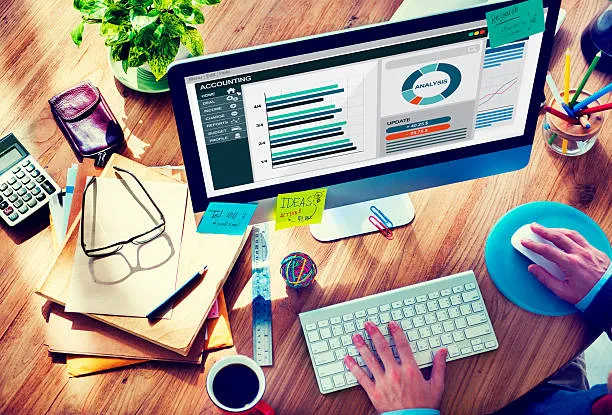
Digitalizing accounting offers numerous benefits, including time savings, reduced errors, and improved accessibility. Here are a few digital tools to consider:
Online banking for bookkeeping
Take advantage of online banking for your bookkeeping.
Automate bank transactions and account reconciliations to make the process more efficient. This reduces manual effort and improves accuracy.
cloud accounting software
Cloud accounting software allows you to work from anywhere.
This increases the flexibility and accessibility of your accounting data.
Cloud solutions also offer regular updates and security measures.
Automated report generation
With automated reporting tools, you can generate reports with just a few clicks.
These tools provide detailed insights into your financial situation.
Automation saves time and improves reporting accuracy.
Using apps for mobile accounting
Mobile apps offer the option of completing accounting tasks on the go.
You can collect receipts, categorize expenses, and generate reports wherever you are.
This flexibility is particularly useful for busy self-employed people.
Integrate with other business tools
Many accounting tools integrate seamlessly with other business applications. This enables seamless data exchange and improves efficiency.
Good integration reduces the need for duplicate data entry and minimizes errors.
With the right digital accounting Not only are you working faster — you are finally working stress-free.
Take advantage of accounting services
If accounting seems overwhelming despite all the tools and software, accounting services can be a useful option.

A professional accountant can help you manage your finances efficiently and ensure that all legal requirements are met.
When should you consider an accountant?
Complexity of finances
When your finances become complex, an accountant can help you keep track of things.
You can analyze complex transactions and generate detailed reports.
An accountant also provides strategic advice to optimize your finances.
lack of time
If you don't have the time to take care of bookkeeping, an accountant can step in.
They take on the time-consuming tasks so that you can concentrate on your core business.
This increases efficiency and relieves you of administrative tasks.
Tax issues and compliance
An accountant can ensure that you take advantage of all tax benefits and don't miss any deadlines.
They are familiar with the latest tax laws and can provide valuable advice.
This protects you from legal problems and optimizes your tax strategy.
Consulting and strategic planning
Accountants provide not only accounting services but also strategic advice.
They can help you develop long-term financial plans and evaluate investments.
This advice can be decisive for growing your business.
Cost-benefit analysis
The costs of hiring an accountant should be weighed against the benefits.
The added value that a professional accountant offers often exceeds the costs.
Careful analysis helps to make the right decision.
Efficiency and focus on your business
By following these steps, you can streamline your accounting and focus on what's important: moving your business forward and being successful. Efficient bookkeeping not only saves time, but also gives you peace of mind that your finances are under control.
Continuous improvement and adjustment
The field of accounting is constantly evolving, and it's important to keep up with the latest trends.
By continuously improving and adapting your accounting practices, you can remain competitive.
This requires regular review and adjustment of your processes.
Long-term financial health
Well-managed bookkeeping contributes to the long-term financial health of your company.
It enables you to make well-founded decisions and react to changes in the market environment.
This not only ensures current success, but also the future stability of your company.
Professional organization Start with clear figures — and we'll show you how to keep them under control at all times.
FAQ:
1. Accounting can be so easy for self-employed people — What is the best way to start?
Start with clear documentation of your income and expenses.
Use digital tools for a better overview. Always keep receipts handy.
This way, you have everything well organized and saves time.
2. Which accounting software is particularly suitable for self-employed people?
There are many simple programs such as Lexoffice, sevDesk or Debitoor.
They help you write invoices and manage receipts digitally — perfect for beginners.
3. How often should I update my accounting?
Preferably short daily or weekly updates.
This is how you avoid stress at the end of the year and keep track of things.
4. What tax benefits can I take advantage of as a self-employed person?
Use all operating expenses, depreciation and allowances.
This effectively reduces your tax burden.
5. Can I also do the bookkeeping myself or do I need a tax advisor?
Many self-employed people can do this themselves with good tools.
Professional help is recommended for complex cases or uncertainties.
conclusion
Accounting for self-employed people doesn't have to be complicated.
With the right software, systematic recording of invoices and receipts, and the use of digital tools, you can make your accounting efficient. If you still need assistance, accounting services are a valuable resource to ensure that your finances are in good hands.