
.webp)




.png)

When you work in Munich, you know the pace: lots of inquiries, short deadlines, parallel projects. Decides right here Munich office organizationwhether your team stays calm and efficient—or is constantly looking for files, duplicating tasks and rescheduling appointments. This guide gives you a tried and tested structure: Office filing system, document management, workflow optimization and time management tips — so that you can implement it immediately.
.webp)
Start Munich office organization
The best start isn't “all new,” but “all right.” Good office organization starts with three questions:
- What comes in? (emails, offers, invoices, WhatsApp, mail)
- What needs to happen? (edit, release, store, send)
- Who is responsible? (one person per step — none “all somehow”)
A simple principle helps: Every piece of content immediately gets a next step. Not later. Right away.
Practical introduction (30 minutes):
- Collect 20 current tasks (paper + digital).
- Mark: “important,” “urgent,” “blocked.”
- Write exactly about each task one next step.
- Determine: Who will do that — until when?
If you also want to structure your online work cleanly (e.g. website, leads, campaigns), this internal guide can help you: Understanding cost factors in website optimization.
Objectives and benefits
Office organization is not a “nice to have.” You can feel them in:
- fewer queries (“Where is the file? “)
- less duplication
- faster handovers within the team
- clearer responsibilities
- better customer communication
Set measurable goals so you can see progress:
- response time: e.g. customer emails within 24 hours
- search time: Find files in under 30 seconds
- Delivery quality: be able to pass on projects without inquiries
- error rate: fewer incorrect versions, fewer missing attachments
If you don't want to do the implementation in a team alone: Start small and build up step by step.
Office organization in Munich in everyday life
Munich office organization must match your reality: full calendars, many stakeholders, often hybrid (Office + home office). That's why you need a structure that survives in everyday life.
Three principles that work particularly well in Munich:
- Standard instead of perfection: Better a simple system that everyone uses.
- Visibility instead of gut feeling: Make tasks visible (Kanban, list, board).
- Fewer channels: Not email + WhatsApp + Slack + phone + note at the same time.
Mini rule that helps immediately:
- One input channel per topic
- Customer inquiries: a mailbox or form
- Internal tasks: a board
- Documents: a defined storage location
Identify the causes of chaos
Before you build a system, see what is currently slowing you down. Typical causes:
- Files are stored in 5 folders and 3 tools
- No one knows who is releasing “final”
- There are no naming rules for documents
- Tasks are “hidden” in chats
- Appointments arise without preparation and without results
Quick check (5 minutes):
- Is there with you one A place for “to-dos”?
- Is there eine Truth for “final files”?
- Is it clear who decides when stressed?
- Are tasks completed in writing (short status)?
If you get this stable, everything else will be easier.
Make processes visible
Workflow optimization always starts with visibility. You don't need complex process models right away. It's enough:
- Input → machining → Approval → upshot → deposition
Here's how to make it practical:
- Select a core process (e.g. create an offer).
- Write down the steps on post-its or on a board.
- Add per step: Responsible + Deadline + Definition of Done.
- Delete anything that is “nice” but not necessary.
- Try for 1 week and adjust.
Definition of Done examples:
- Offer: PDF created, price checked, email template used, noted in CRM
- Invoice: correct, sent, booking marked, document stored
If you need guidance when implementing it, short, clear introductory guides are often worth their weight in gold — for example SEO DIY As a mindset: start small, measure cleanly, constantly improve.
.webp)
Set up office storage system
A Office storage system is the basis — analog and digital. What is important is not “how beautiful”, but:
- Everyone finds everything
- No one stores twice
- Versions are comprehensible
Simplify folder logic
Use a clear structure that is repetitive:
- 01 customers
- 02 Suppliers
- 03 Finances
- 04 projects
- 05 Internal
- 99 archive
Then within “Customers”:
- Customer A
- 01 offers
- 02 orders
- 03 Invoices
- 04 Communication
- 05 files
file name rule
A good rule is:
yyyy-mm-dd_customer_topic_version
Example: 2026-01-05_Mueller_Angebot_v03
Paper remains realistic
When paper is unavoidable:
- “Today” receipt basket
- “This week” folder
- Waiting for folder
- Archive box by month/quarter
Pro tip: A paper process without a clear routine quickly becomes chaos again. Better less paper — or consistently.
If you need more predictable leads in addition to internal processes, it's worth taking a look at Performance marketing agency — because stable office organization and stable lead processes are mutually reinforcing.
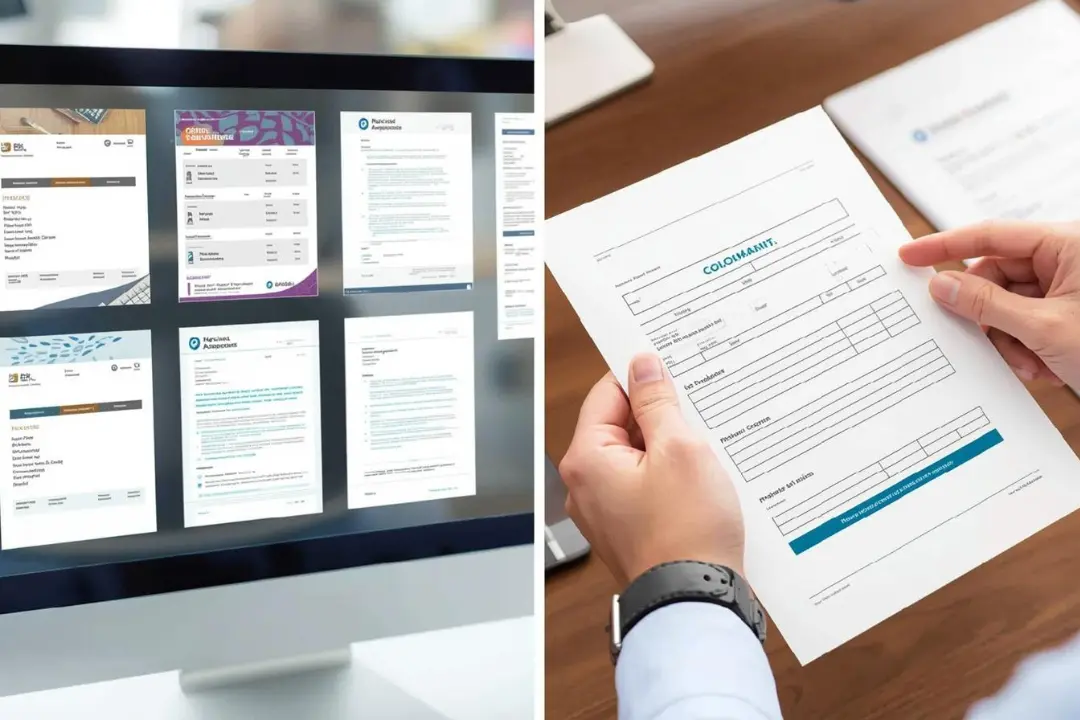
Simplify document management
Document management means: documents find, edit, release, archive — without drama.
Rules for digital documents
- A storage location as a “single source of truth”
- No private shadow folders on desktops
- access rights by role (not by “who is asking”)
- versioning: It's clear who finally approves
Document quality checklist
Before you submit a document as “final”:
- Name correct?
- Content complete?
- Approval documented?
- Location correct?
- Sensitive data protected?
Standardize typical documents
Create templates for:
- offers
- invoices
- letterheads
- protocols
- checklists
- Handover notes
Standardization saves time and reduces errors.
When your team in Munich grows, the handover quality becomes decisive. This is exactly where a clear guide to predictable results helps, such as More leads for SMEs — not because of marketing, but because of process thinking: What comes in, what happens, what comes out.
Workflow optimization processes
Workflow optimization is often misunderstood: It's not about “more tools,” but about “less friction.”
Find bottlenecks
Search for:
- Waiting times (approvals take time)
- Queries (ambiguities)
- Rework (errors/missing information)
- Context change (too many parallel tasks)
SOPs made easy
SOP = Standard Operating Procedure. Make it short:
- Objective of the process
- steps 1—7
- responsible
- Definition of Done
- Examples (1 good example is enough)
That's how it stays usable.
Solve transfers cleanly
A good handover always includes:
- Status (where are we?)
- Next step
- deadline
- Link/location of files
- Risks (what could go wrong?)
If you regularly carry out campaigns or actions, process thinking is even more important. A good impetus for this: Planning online marketing campaigns From idea to results — the structure behind this can be transferred 1:1 to office processes.
Use time management tips
Time management tips are only effective if they accept team reality. Three methods are particularly robust:
Time Blocking
Plan blocks instead of individual micro-tasks:
- 60-90 minute focus block
- 15 minute admin block
- 30 minutes of communication
Two minute rule
If something is done in 2 minutes: do it immediately.
But: Only if it doesn't break your focus block.
End of day routine
10 minutes are enough:
- Check open tasks
- Set 1-3 priorities for tomorrow
- Make your inbox “empty enough”
- Store files correctly
It feels small — but it makes a big difference.
If you receive a lot of queries via Google and this creates time stress, it can be useful to structure the channel cleanly, e.g. with Advertising agency for Google Ads When is it worthwhile — not as “more advertising,” but as “better predictability.”
Make meetings leaner
Meetings are often the biggest time waster. This is how they get faster:
- Mandatory agenda (3 points max)
- Objective clear: Decide or inform?
- Timebox: 15/30/45 minutes
- Ultrashort protocol: Decisions + to-dos + owner
A meeting with no decisions is often an email.
Clarify roles and rules
Office organization rarely fails due to tools — almost always due to unclear roles.
Define responsibilities
For recurring topics, owners are needed:
- inbox
- invoices
- Project boards
- templates
- Archive/folder structure
Communication rules
- Don't let tasks get lost in chat
- “Please do it” becomes “Next step + appointment”
- Urgent only when it is really urgent
With these rules, you can reduce stress — especially in a fast-paced environment like Munich.
If you're already active on Google Ads, optimization can help you have less wastage and less chaos: Google Ads agency prices Find the right model can serve as a guide for suitable setups.
Standards and compliance
Structure also means working in a legally secure and clean manner — without panic, but with clarity.
Understanding storage
Depending on the document, there are different retention periods in Germany. For many companies, these scales are particularly relevant: 6 years, 8 years (since 2025 for certain accounting documents) or 10 years — depending on document type and legal basis. (Source: IHK, see external sources at the end.)
Practical tip:
- Set an “archive” principle (for example, by year).
- Define: Who can delete? Who archives?
- Briefly document how you proceed.
Don't forget ergonomics
Good organization is also physical: A bad job makes you tired, slow and unfocused. To this end, the DGUV provides practical requirements and recommendations for designing screen and office workstations. (Source: DGUV, see external sources at the end.)
Mini check:
- Eye level monitor
- Back supported, feet stable
- Light without glare
- Regular micro-breaks
If you want to get more performance out of existing campaigns, this approach can help you: Google Ads optimize 10 quick performance levers — the principle of “small levers, big impact” is also a perfect fit for office organization.
Implementation in 30 days
Here is a realistic plan — without overwhelming demands.
week 1
- Reduce input channels
- Make tasks visible
- 1 Select a process (e.g. offer)
- Write the first SOP in short form
week 2
- Standardize office storage system
- Set naming rules
- Create templates (offer, protocol, delivery)
week 3
- Workflow optimization in the core process
- Remove bottlenecks
- Define approvals
- Name roles
week 4
- Introduce time management tips
- Enable meeting rules
- Define monthly routine (archive, review, tidy up)
Result: not “perfect” but noticeably better.
Staying stable in everyday life
The system only lasts if you maintain it — without too much effort.
Monthly office review
30 minutes:
- What has eaten time?
- Where were there any questions?
- Which template is missing?
- Which process is too complicated?
Small rules, big impact
- 1 file = 1 location
- 1 task = 1 owner
- 1 process = 1 standard
If you get more queries via Google and the team then comes under pressure, it can help to clearly structure the channel — e.g. with an introduction like Advertise on Google Start your first campaign, so that predictability is created instead of coincidence.
Munich office organization with Klarwerk
In Munich in particular, many things are growing rapidly: more customers, more team members, more tools, more communication. Munich office organization works best when processes are not just “thought out” but clean implements become.
CTA (without exaggeration, but clear):
If you want to structure your office processes — including office filing system, document management, workflow optimization and routines suitable for everyday use — supports you Klarwerk agency during implementation: from clear process workshops to templates, SOPs and measurable routines that are actually used.
Next step: Have your current processes reviewed briefly and start with a 30-day plan that suits your team.
FAQ
1) What is the fastest way to get started with office organization?
With a place for tasks, a clear filing system and a daily 10-minute routine.
2) What is more important: tools or rules?
rules. Tools only help when responsibilities and standards are clear.
3) How do I prevent chaos when team growth?
Through fixed processes, templates and clean handovers with Owner + Deadline.
4) How do I build a good office filing system?
With simple folder logic, clear file names and a “single source of truth.”
5) Which routines have the biggest effect?
Daily report (10 min), weekly review (20 min), monthly process update (30 min).
conclusion
Office organization is not a one-off action, but a system that works in everyday life. When you make tasks visible, establish an office filing system, simplify document management and combine workflow optimization with clear roles, there is noticeably more peace and speed. In Munich, this is a real competitive advantage: less chaos, more focus, better results.
External sources
- IHK München: Retention requirements and deadlines (including 6/8/10 years) (IHK Munich)
- DGUV: Guide for screen and office workstations (DGUV Information 215-410) (bghm.de)